
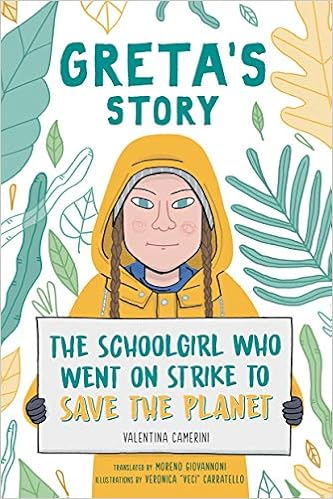
Hello everyone, to be frank, I was a bit limited in my resources for creating a short video off of my Chromebook. Although what I wound up creating is a bit different than the examples shown, I did my best to make something with the resources that I do have. Instead of making a short PSA clip or informative video regarding my CLIFI book selection, I created a Prezi presentation with information about the book.
MY CLIFI PREZI: (https://prezi.com/view/PsVxBnmne8NNebsSyaLX/)
For what my Prezi lacks in spiffy presentation, it was still able to give me the experience of creating something resembling a complete multimodal text. I was able to include images and text that is presented with visually appealing slide transitions. Albeit the format that I chose to use is nothing fancy, I could still see it as being an engaging way to present a book in a multimodal way.
When thinking about copyrighted material used in my presentation, my right to hypothetically use this to teach this would fall under fair use. The images within the slide are from basic google searches, which I am sure fall under technical copyrighted standards, but given they are being used to support the learning goals there is no overt breaking of any rules. As the Hobbs text lays out, teachers shouldn’t fear using copyrighted material because inevitably they will use resources that involve them. The same goes for the little facts I included about the book and Greta Thunberg. In a general sense, the information struck me as appropriate for public use given most of it could be found from a simple google search. Prime examples of such a search include where Greta is from, what she has accomplished, and what her activism goals are.
My process for the presentation included focusing on the main points of the book, including supporting images that align with the text, and essentially tying together the message that the book is supposed to send. My narrative is driven by the format of the presentation of the Prezi. The format resembles a journey from slide to slide that somewhat mirrors Thunberg’s own journey. Although I don’t think that my specific presentation would go a long way in driving engagement for getting behind the Climate Change strike or becoming an activist, the use of such a presentation in a classroom setting could draw more interest or spark greater enthusiasm because the information is being presented in a more colorful, less dull way.
By creating a multimodal text, the instructor has a greater chance of engaging a student due to the immersive nature of the format. With imagery, music, and textual information combined, the likelihood that a student remembers or at least takes something away from the content seems much greater than a bland powerpoint presentation. Although I was not able to produce something totally similar to the examples provided, I am glad I was able to create something that showed me the benefits of using or creating a multimodal text.
 George Connelly's Professional Blog
Hi George!
Even though you had limited tools, I think the presentation you created was smooth and provided general information about the book and it’s content. Not only was the presentation smooth, it is very visually appealing – from the background image, the colors, and the amount of text in each little bubble!
Since I haven’t read the book, I can’t be sure, but I imagine in your final project, there might be opportunities for voice clips from Greta herself – that would be really fun and engaging to see as a viewer. I specifically wanted to check out what you’ve done with your reading because you chose the book I initially wanted and I look forward to whatever you do for the final multimodal project.
Caitlyn
LikeLike
Hi George,
I think you fulfilled the requirements of this task very well. It is a nice clear, clean presentation of the information in a pleasing way. If your target group is younger students, this is something that would be accessible to them, something they might feel they could create themselves. And it is a good base for further development of the textual information as well as the user interface, if you choose to do that. No need to make excuses. You made good use of a resource that was available.
Paul
LikeLike
Hi George. I appreciate the clean presentation of what seems to be a book report poster of sorts. I’m curious to know if you would use a similar type of digital genre in your future teaching.
LikeLike